What is Netstat?
Netstat is a command-line network utility that displays network connections from a device.
Common Commands:
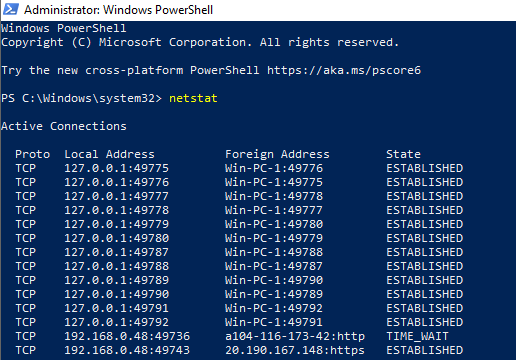
netstat
::: This command just shows the basic network connections :::

netstat -nao
::: This command shows the network connections with the process ID (PID) (Later we can track those PID to the image running using the tasklist command or on the Processes tab in Windows Task Manager). The following parameters and the meaning:
-n – no DNS resolves
-a – Displays all active TCP connections and the TCP and UDP ports
-o – This command shows the PID for each connection :::

netstat -naob
::: This command shows the network connections with the with the parent binary image that owns that process. The following parameters and the meaning:
-n – no DNS resolves
-a – Displays all active TCP connections and the TCP and UDP ports
-o – This command shows the PID for each connection
-b – This command shows the parent binary image that owns that process :::

Click here to find some more parameters for Netstat:


